
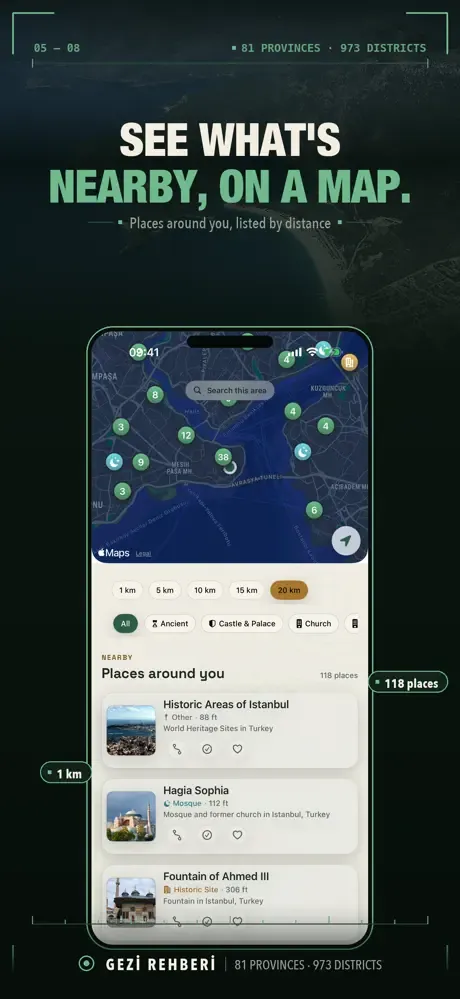
Historic places around you
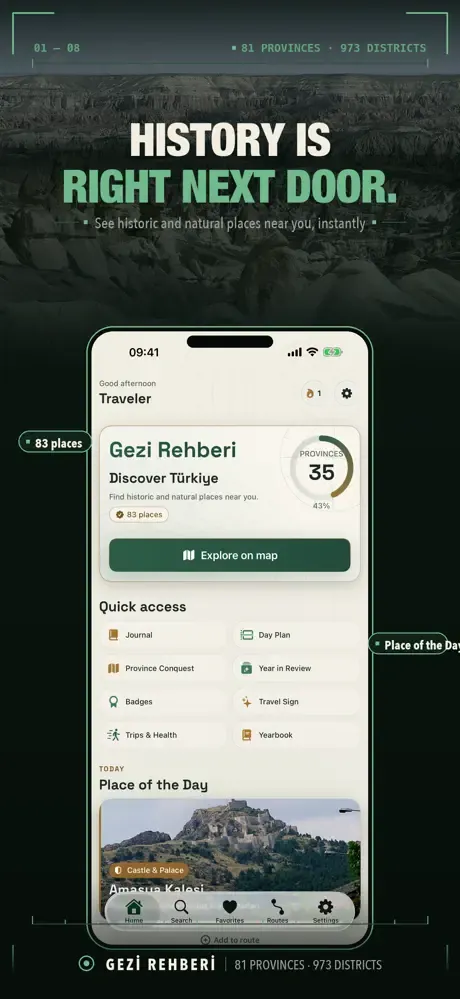
Anywhere in Turkey, open the app to see the notable places near you: ancient cities, ruins, castles, museums, mosques, caves and waterfalls, sorted into 15 categories. Place details come from free encyclopedia and open data sources.
Place coverage depends on those sources and varies by area.
Search 81 provinces and 973 districts
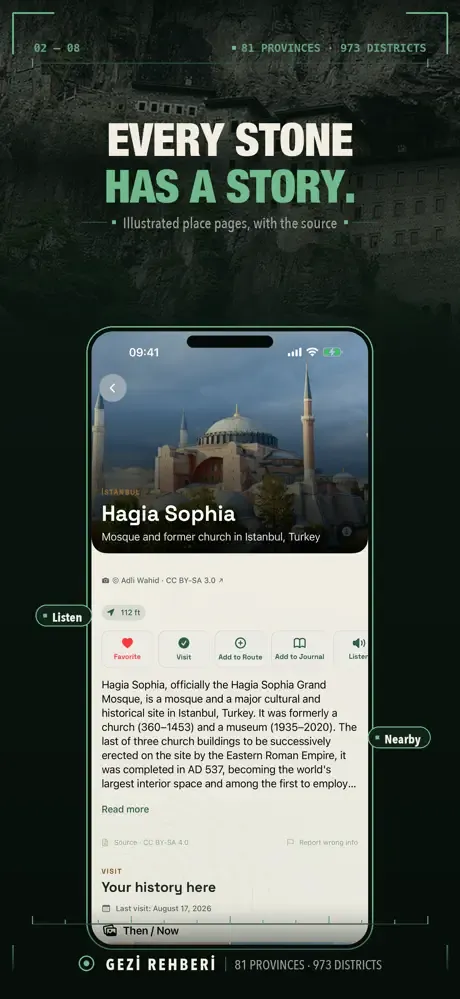
Browse a clustered map, search any province or district, tap “Search this area”, or ask by voice. Open a place for its photos and the article behind it, or hear it read aloud. Nearby food and practical stops are included too.
Build a trip route
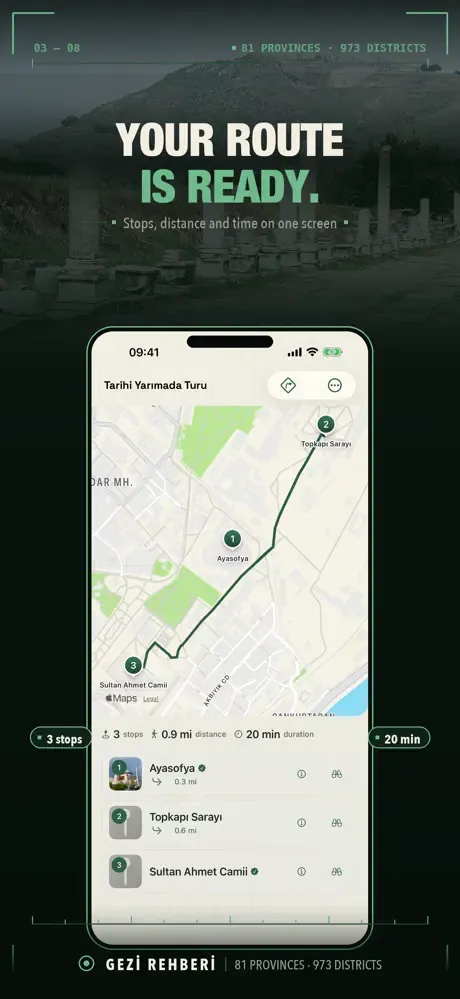
Pick 2 to 12 stops and the app works out a driving or walking route. Turn-by-turn directions open in the maps app you choose; in-app guidance is a companion to navigation.
Or start from one of 44 ready-made trails: Lycian, Hittite, Seljuk, Byzantine and Cappadocian underground.
On the road
Get arrival alerts, an off-route warning and next-step guidance while you travel, with your route kept live on the Lock Screen.
Multi-day trip planner
Longer trip? Spread it across days, with stops, legs, timings and a lunch break on one screen, then add it to your calendar.
Travel journal
Save photo entries with notes, encrypted on device. With Pro, journal lock keeps your journal for you only, and the journal archive saves your entries and photos to one file you can restore on a new device.
Fill in your own map
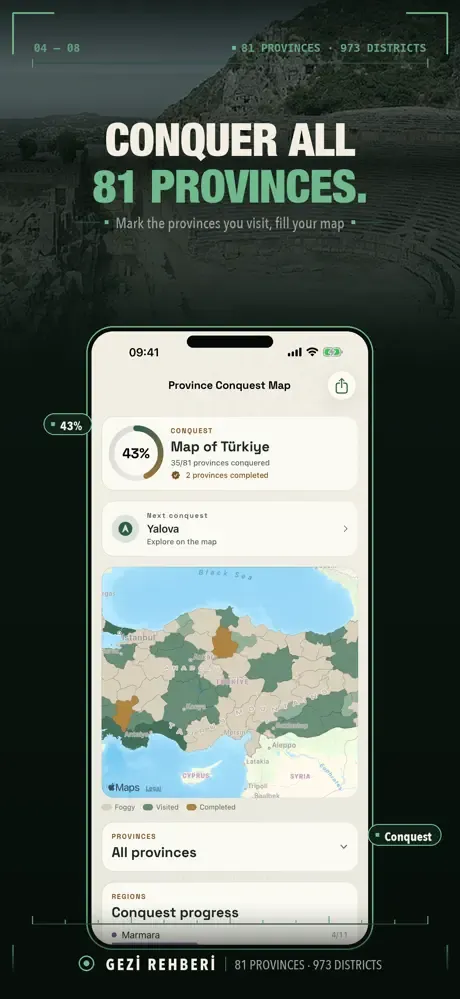
Check in as you go and watch your discovery map color in, province by province. Complete all 81 on the Province Conquest Map, count a whole province as visited in one tap, keep a streak and set a yearly goal. Steps and distance can be added to your trip stats if you allow it.
Badges, Year in Review and your travel book
Earn 11 badges and take a six-question Travel Sign quiz. Look back through Year in Review, collages and trip stories, then turn a year into a book: season chapters, contents page, double-page reading and a print-ready PDF.
A complete sample book in Turkish and English ships with the app, so you can read one cover to cover first.
The stories behind the places
Pre-1950 public-domain images are paired into a then-and-now card, and name-origin notes cover 40 places. Where a building's architect is recorded, other works by the same architect are listed: 7 architects, 46 buildings.
With Pro sign scanning, point the camera at a sign and the app finds the place.
Province packages for when the signal drops
Download province packages, over Wi-Fi only if you switch that on, and keep browsing what you saved. Map tiles and new discovery still need a connection, so this is not a full offline map.
Quick access and privacy
Home Screen, Lock Screen and quick-access controls come with quick check-in. Voice assistant shortcuts and system search are included. Optional sync for favorites, visits and collections works through your Apple Account. There is no account to create and no ads.
Free and Pro
Discovery, search, place pages, the maps, check-ins, nearby food and practical stops, badges, streaks, year goals, widgets, read-aloud, voice assistant shortcuts and system search come with no limits. On top of those: 5 favorites, 1 journal entry, 1 route or day plan, 1 offline province package and 1 travel book in total. Of the 11 badges, three ask for more favorites, journal entries or routes than the free plan allows.
Pro adds unlimited journal entries with photos, unlimited routes and day plans with all 44 ready-made trails, unlimited offline province packages, travel books and favorites, plus route optimization, which puts your stops in the shortest route order, the journal archive, sign scanning and journal lock.
Gezi Rehberi Pro is an auto-renewable subscription, monthly or yearly; the price is shown in the app before you subscribe. Anything you have already saved, including favorites, entries, routes and downloaded packages, stays where it is.
Frequently asked questions
Is Gezi Rehberi free?
It is free to download. Discovery, search, place pages, the maps, check-ins, badges, widgets and read-aloud have no limits, plus 5 favorites, 1 journal entry, 1 route or day plan, 1 offline province package and 1 travel book in total. Gezi Rehberi Pro is a monthly or yearly subscription for unlimited use.
How do I plan a route in Turkey?
Pick 2 to 12 places and the app works out a driving or walking route, or start from one of 44 ready-made trails. Turn-by-turn directions open in the maps app you choose.
Does it work offline?
Downloaded province packages let you keep browsing what you saved when the signal drops. Map tiles and new discovery still need a connection, so Gezi Rehberi is not a full offline map.
What kinds of places does it show?
Historic and notable places such as ancient cities, ruins, castles, museums, mosques, caves and waterfalls, in 15 categories across all 81 provinces and 973 districts of Turkey. Coverage varies by area.
Does it work on iPad?
Yes. Gezi Rehberi runs on iPhone and iPad with iOS 16 or later.
Do I need an account?
No. There is no account and no ads. Journal entries are encrypted on device, and sync through your Apple Account is optional.
Someone sent me a route link. How do I open it?
To open the route, install Gezi Rehberi, then tap the link again.
How do I restore Pro on a new phone?
In Gezi Rehberi, tap “Restore purchase” in the Subscription section of Settings or “Restore Purchase” on the Pro screen; you need to be signed in with the Apple Account you used to buy. This restores Pro access only, not your journal or routes.
How do I cancel a subscription?
On your iPhone or iPad, open Settings → Apple Account (your name) → Subscriptions. While Pro is active, you can also get there by tapping “Manage subscription” in the Subscription section of Gezi Rehberi's Settings. Refund requests are reviewed by Apple: reportaproblem.apple.com.